Simplified plan management and version control with intelligent automation
StruXure.co's construction drawing software delivers intelligent features to scan your drawings, separate each sheet, and organize your plans in seconds. Version control and intelligent overlay allow you to quickly view discrepancies directly in the platform.
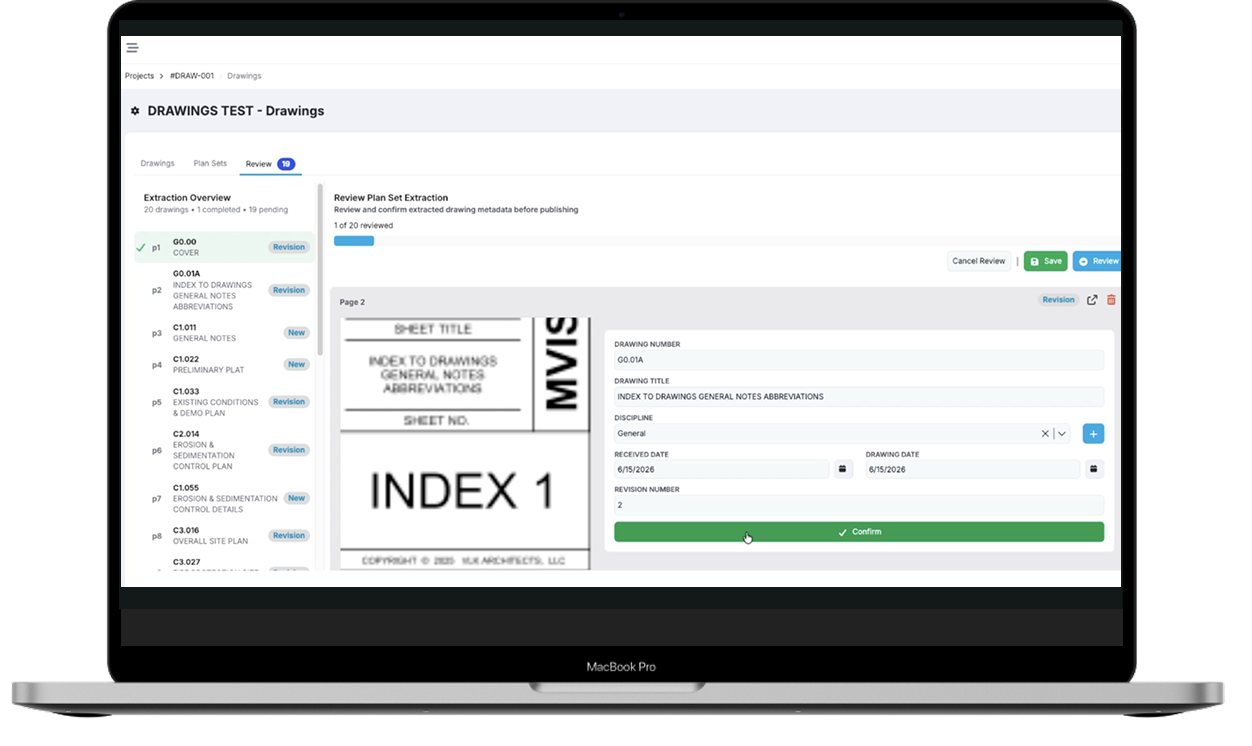
StruXure.co's AI automatically splits each page from your plans into a single PDF, labels it accordingly, and organizes the drawings for reference / markup in seconds, reducing manual effort and increasing efficiency.
Version Control
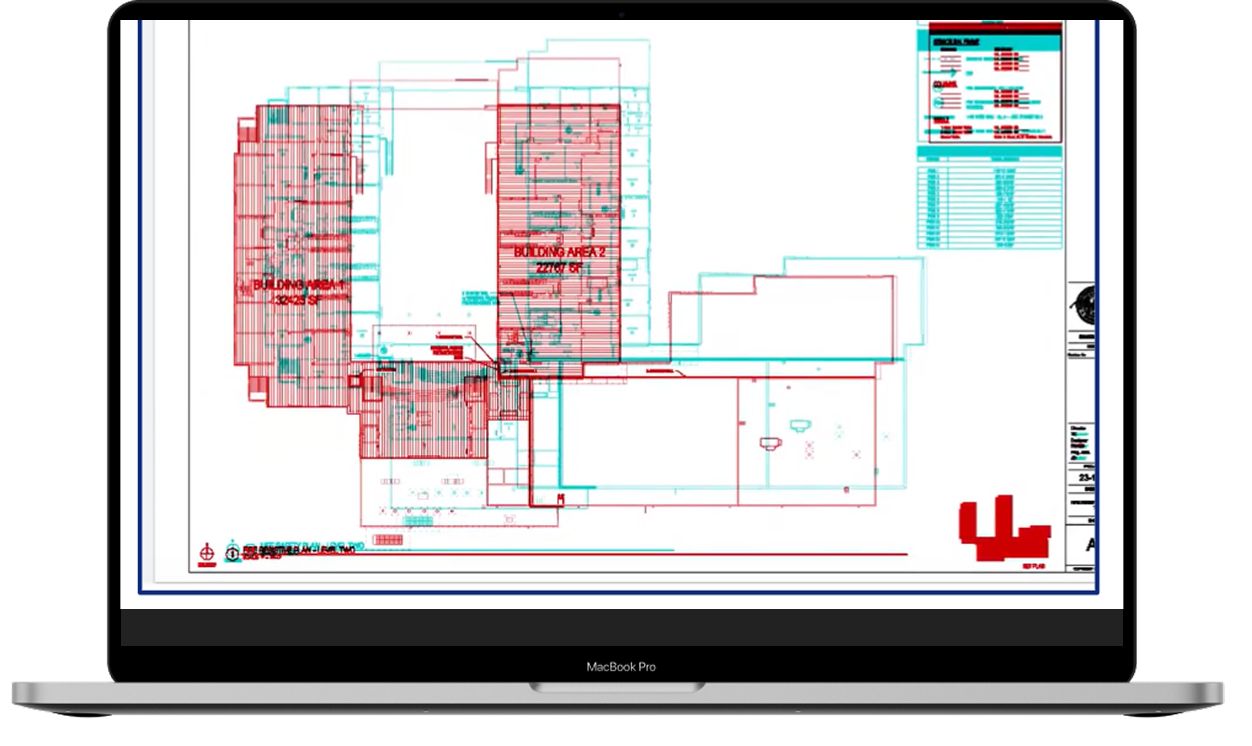
StruXure.co automatically tracks versions and revisions so your team can always stay up to date with the latest drawings. Use overlay to see how the design evolves from version to version.
Collaborate & Markup
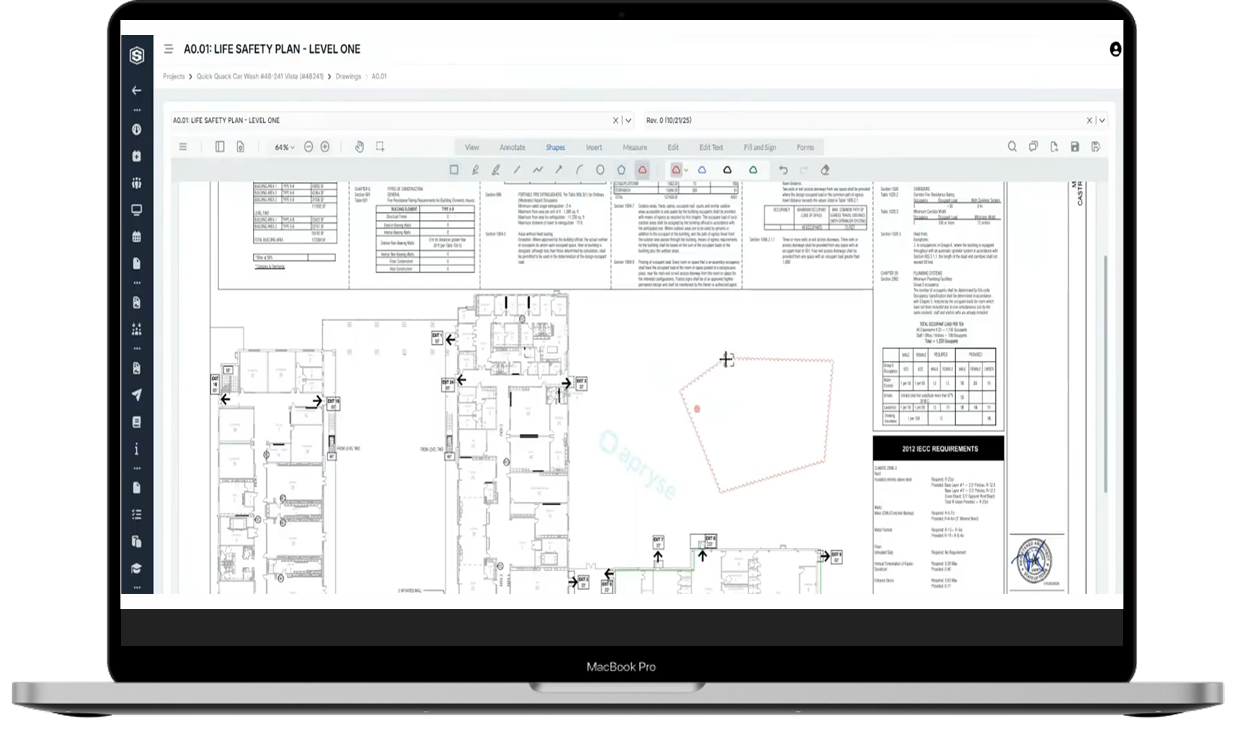
Add comments, bubbles, arrows and annotate drawings in real-time. Facilitate clear communication, decisions and feedback loops with built in logging.
Accessible
With StruXure.co, never waste time searching for information. Everything is organized and accessible, so you can quickly locate exactly what you need.
AUTOMATED WORKFLOW
Process drawings with ease & eliminate errors
After upload, StruXure.co splits each page from your plans into a single PDF, labels it, and organizes the drawings for reference / markup in seconds, eliminating hours of manual effort.
Eliminate tedious, repetitive tasks with our intelligent OCR
Accelerate project kickoffs with automated document organization
Keep your team working with accurate information. StruXure.co’s version comparison and tracking features help prevent errors before they happen; eliminating costly rework & delays.
Ensure everyone has the correct information (default to latest version).
Avoid mistakes by viewing the design evolution with intuitive overlays.
Reduce liability and financial risk stemming from outdated plans / versions.
ACCESSABILITY
Any drawing at your fingertips
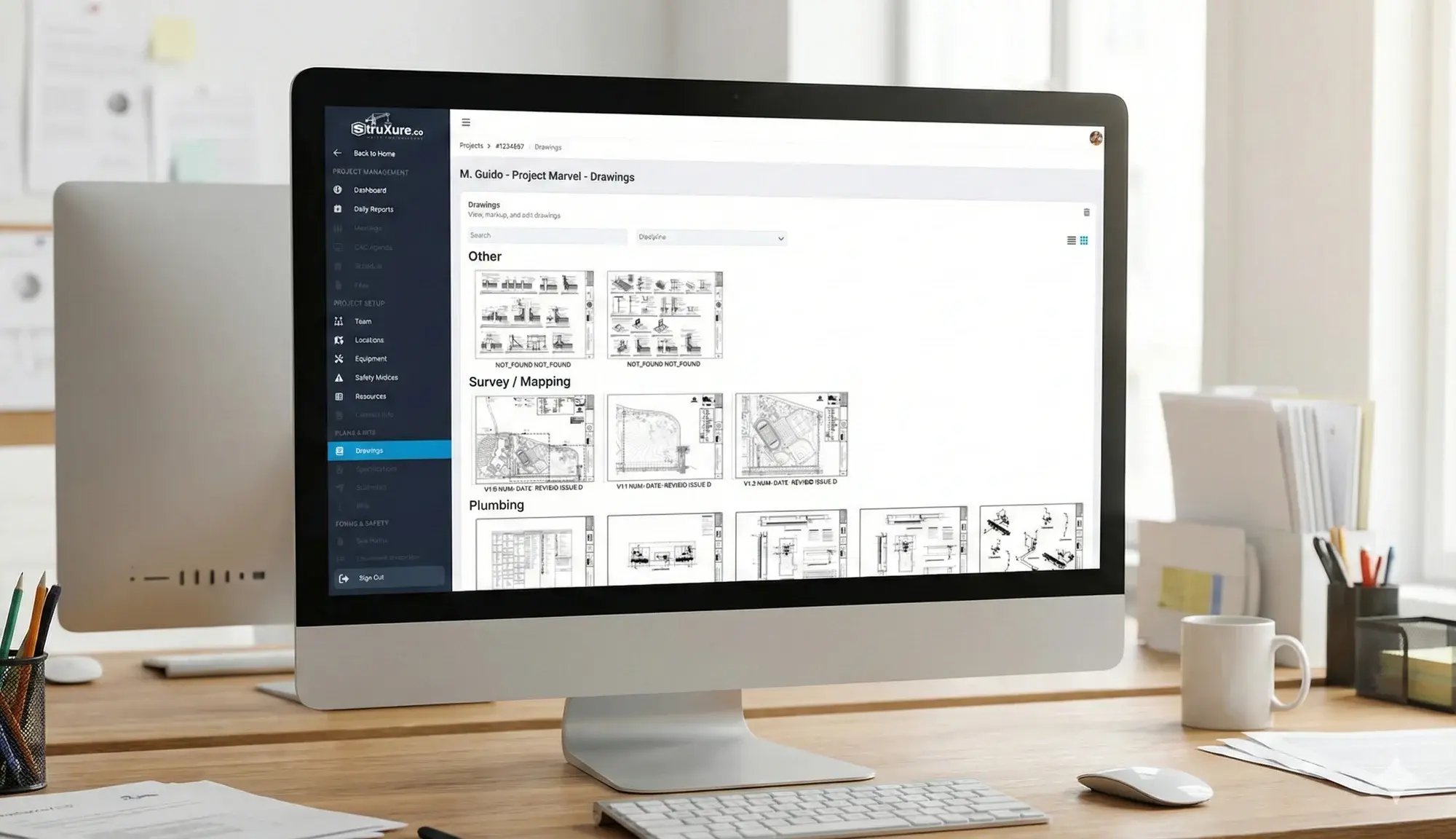
Boost field productivity by granting access to easily search, sort, and filter your drawings with a few clicks. Keep your data organized and easily accessible on any internet connected device.
Align teams & reduce errors with automated distribution lists
View version history at any time to promote a culture of transparency
Streamline response with intuitive, email-based communication
StruXure.co leverages industry leading document mark up technology. Our AI-assist scans through a project’s drawings PDF and automatically splits, labels, and organizes each sheet, saving your team hours.
The plans are auto-organized so your team can easily markup, revise, and share directly in the app.
Plans are essential for any contractor aiming for first-time quality and avoiding costly mistakes and delays. StruXure.co’s Drawings and plan management centralize any disciplines project drawings for easy accessibility.
As a result, StruXure.co serves as a single, secure repository for every drawing and revision. This supports effective document control throughout your project's entire lifecycle.
To ensure all stakeholders—owners, engineers, contractors, and architects—remain synchronized throughout the project lifecycle, StruXure.co offers a unified platform for all drawing-related collaboration.
This platform eliminates communication barriers by allowing teams to directly mark up drawings, add comments, and link essential project items such as RFIs and punch lists. This approach fosters greater communication transparency and guarantees that everyone possesses the complete context necessary to advance the project.
The primary purpose for drawing management software is to ensure all stakeholders are working from the current set of drawings, whether in the field or at the office.
Construction drawing & plan management software is a cloud-based, centralized, AI-native tool that helps you upload, organize, and manage every drawing and revision for a project.
Accurate drawings ensure the project adheres to design intent, contractual agreements and prevent inconsistencies, costly rework, and construction errors.
StruXure.co compares each new plan set against existing drawings and identifies whether every sheet is new or a revision. The drawing number, title, discipline, date, or revision can be adjusted before confirming. Teams can view past revisions, compare versions, and clearly see when they are looking at a non-current drawing.
Explore all that StruXure.co has to offer
The StruXure.co platform has a variety of features and capabilities built for builders. See them all today!


.png)
.png)
.png)
.png)
.svg)
.svg "StruXure Crane - Full Grey (1)")